The Universal Language of Positivity: Understanding Flat Icon Hand Gestures in Modern Design
In the rapidly evolving landscape of digital communication, words are no longer the sole carriers of meaning. Visual cues have taken center stage, bridging language barriers and conveying emotion with instantaneous clarity. Among the most powerful of these visual tools are positive hand gestures. Whether it is a thumbs-up indicating approval, a peace sign symbolizing harmony, or an open palm representing honesty, these symbols are deeply ingrained in human psychology. When translated into flat icon design, they become essential elements for web design, mobile applications, and user interface (UI) systems.
This article explores the significance of positive hand gesture icons, specifically focusing on finger-based symbols like the "good" thumb and the "peace" V-sign. We will delve into why these vector illustrations are crucial for modern digital experiences, how they enhance user engagement, and best practices for integrating them into your creative projects.
Why Hand Gestures Matter in Digital Interfaces
Human communication is estimated to be largely non-verbal. Before we speak, our bodies often signal our intent. In the physical world, a handshake builds trust, and a wave creates connection. In the digital realm, where physical presence is absent, designers must replicate these social cues through graphics. This is where the positive hand gestures flat icon becomes indispensable.
These icons serve several critical functions:
- Instant Recognition: Users process images 60,000 times faster than text. A well-designed icon of a hand giving a "thumbs up" is understood globally, regardless of the user's native language.
- Emotional Connection: Positive gestures evoke feelings of approval, safety, and success. They soften the technological edge of apps and websites, making interactions feel more human.
- Space Efficiency: In mobile-first design, screen real estate is precious. A single vector symbol can replace a lengthy sentence like "Your action was successful," saving space while maintaining clarity.
The Psychology of Specific Finger Gestures
Not all hand gestures are created equal. When selecting icons for your design system, understanding the nuanced meaning of specific finger positions is vital. The most common positive gestures include:
- The Thumbs-Up (Good/Approval): Perhaps the most universally recognized positive symbol. It signifies agreement, quality, and success. In social media, it is the default "like." In e-commerce, it confirms a completed transaction.
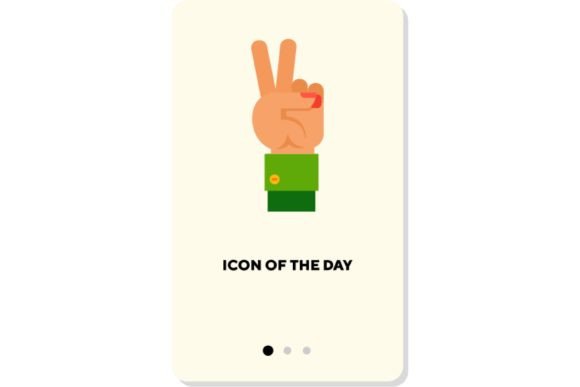
- The Peace Sign (V-Shape): Originally a symbol of anti-war movements, it has evolved to represent peace, victory, and casual friendliness. It is often used in lifestyle apps, travel platforms, and community-focused designs to convey a relaxed, positive vibe.
- The Open Palm: Often associated with greeting or stopping, when used in a positive context (such as a high-five or an offering hand), it represents transparency, help, and welcome.
By isolating these vectors, designers can strip away unnecessary detail, focusing purely on the motion and symbol concept. This isolation ensures that the core message remains clear even at small sizes.
The Advantage of Vector Illustrations in Web Design
When incorporating hand gestures into digital products, the format of the image is just as important as the subject matter. Vector illustrations are the industry standard for icons, and for good reason. Unlike raster images (such as JPEGs or PNGs), which are made of pixels, vectors are defined by mathematical paths.
This technical distinction offers massive benefits for web and app development:
- Scalability: A vector icon of a peace sign can be scaled from a tiny favicon to a massive billboard without losing any quality. There is no pixelation or blurriness.
- Small File Size: Vector files (such as SVG) are typically much smaller than their raster counterparts. This leads to faster loading times, which is a critical factor for SEO and user retention.
- Customizability: Developers can easily change the color, stroke width, and opacity of a vector icon using CSS. This allows for dynamic interactions, such as a hand icon changing color when a user hovers over it.
For designers creating assets for diverse platforms, using isolated vector elements ensures consistency across iOS, Android, and web browsers. The clean lines of flat design further enhance readability, ensuring that the gesture is recognizable even on low-resolution screens.
Integrating Positive Gestures into User Experience (UX)
Positive hand gestures are not merely decorative; they are functional components of a robust UX strategy. They provide feedback, guide navigation, and reinforce brand personality. Here are practical ways to utilize these symbols in modern applications:
1. Confirmation and Success States
When a user completes a form or makes a purchase, displaying a large, animated thumbs-up icon provides immediate positive reinforcement. It reduces anxiety and confirms that the system has worked correctly.
2. Onboarding and Tutorials
During the initial setup of an app, hand gestures can guide users. An icon pointing or gesturing "okay" can make instructional text feel less demanding and more supportive.
3. Social Interaction Features
Beyond the standard "like" button, apps can use varied hand gestures to express different levels of engagement. A peace sign might indicate a friendly connection, while a high-five icon could celebrate a shared achievement in gaming or fitness apps.
Common Misunderstandings and Cultural Context
While many hand gestures are universal, some carry different meanings in different cultures. Designers must exercise caution and research when deploying these icons globally. For instance, while the thumbs-up is positive in most Western countries, it can be offensive in parts of the Middle East and West Africa. Similarly, the "OK" sign (forming a circle with the thumb and index finger) is positive in the US but can be interpreted as an insult in Brazil or a symbol for zero in France.
To mitigate this risk, many global brands stick to the safest, most widely accepted symbols: the open hand for help, the thumbs-up for general approval (with cultural localization if necessary), and the peace sign for neutrality and harmony. Using isolated vector designs allows for easy swapping of icons if a specific gesture proves problematic in a target market.
Best Practices for Designing Hand Gesture Icons
If you are creating or selecting positive hand gesture icons for your project, keep these principles in mind to ensure effectiveness and aesthetic appeal:
- Keep it Simple: Flat design thrives on minimalism. Avoid excessive shading or complex details. Focus on the silhouette of the hand and the position of the fingers.
- Ensure Clarity: The gesture must be unambiguous. If the fingers are too close together, a peace sign might look like a pointing finger. Adequate spacing between vector paths is crucial.
- Maintain Consistency: If your app uses outlined icons, ensure all hand gestures follow the same stroke weight. If they are filled, use a consistent color palette.
- Test for Accessibility: Ensure that icons are accompanied by alt text for screen readers. Not all users can see the visual cue, so the semantic meaning must be preserved in the code.
The Future of Gesture-Based Interaction
As technology advances, the line between static icons and interactive gestures blurs. With the rise of augmented reality (AR) and virtual reality (VR), hand tracking is becoming a primary input method. The flat icons we use today are the foundational symbols for these future interactions. Understanding the semiotics of a "peace" sign or a "thumbs-up" now prepares designers for a future where users physically perform these gestures to control interfaces.
In conclusion, positive hand gestures flat icons are more than just cute graphics. They are powerful communication tools that enhance usability, convey emotion, and transcend language barriers. By leveraging scalable vector illustrations and understanding the cultural nuances of finger symbols, designers can create more inclusive, engaging, and effective digital experiences. Whether you are building a simple landing page or a complex social platform, integrating these symbolic elements can significantly elevate the quality of your user interface.
For those looking to implement these designs, numerous resources offer high-quality, isolated vector packs. Always prioritize clarity, cultural sensitivity, and technical performance to ensure your visual language speaks loudly and clearly to your audience.